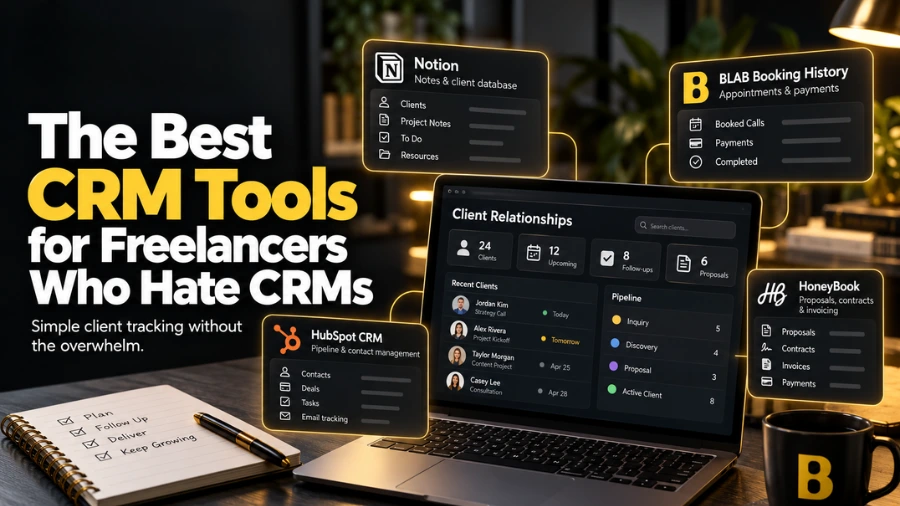
The CRM You Need Might Not Be a CRM
CRM stands for Customer Relationship Management — a category of software originally designed for sales teams managing hundreds of leads across complex sales pipelines. For most solo freelancers, the full CRM toolkit is architectural overkill: pipeline stages, lead scoring, activity logging, and forecasting reports are genuinely useful for a sales team of twenty. For a solo service provider with twenty recurring clients, they are mostly noise.
That said, the underlying need a CRM addresses is real: keeping track of client information, managing the status of prospective clients, and making sure no important follow-up falls through the cracks. The question for most freelancers is not 'which CRM should I use' but 'what is the simplest tool that meets this specific need for my business volume?'
This article gives you an honest framework for when a traditional CRM is actually warranted, and what to use instead if it is not.
Do You Actually Need a CRM?
Honest answer for most solo freelancers: probably not yet. A CRM becomes genuinely useful when:
- You are managing more than 30 to 40 active client relationships simultaneously and losing track of where individual clients are in their journey.
- You have a multi-stage sales process where prospects move through multiple touchpoints before becoming clients.
- You have a team member or virtual assistant who also needs visibility into client status.
- You are running outbound prospecting at scale and need to track outreach, follow-up, and conversion across many contacts.
Before any of these conditions apply, most freelancers' client management needs are better served by simpler, cheaper tools.
The Lightweight CRM Stack for Most Freelancers
Notion — The Free CRM-Alternative
A well-structured Notion database handles the core client management needs of most solo freelancers: a record for each client with contact details, service history, session notes, goals, and follow-up reminders. It is free, flexible, and familiar to many freelancers who already use Notion for other purposes.
The Notion client database is not a CRM in the traditional sense — it has no pipeline view, no automated activity logging, and no built-in email integration. But for managing 10 to 30 active client relationships with session notes and follow-up tracking, it is entirely sufficient.
The test: if your client management problem is 'I forget important context about clients' or 'I lose track of what I promised to do,' Notion solves it. If it is 'I need to track 200 leads through a 6-stage sales funnel,' you need a proper CRM.
Book Like A Boss — Booking History as CRM Proxy
For appointment-based service providers, BLAB's booking history provides a practical substitute for basic client relationship tracking: complete appointment history per client, intake form responses, payment records, and booking patterns. This data — combined with your own session notes in Notion — covers the client management needs of most solo service businesses without any dedicated CRM subscription.
When to Use a Real CRM: The Best Options for Freelancers
HubSpot CRM
The most capable free CRM available
Strengths: Genuinely free for core CRM features. Contact and company records, deal pipeline, email tracking, meeting scheduler integration, and basic reporting. Scales with your business — paid tiers add marketing automation and more. The most widely used CRM in the freelance and small business space.
Limitations: Interface can feel overwhelming for simple use cases. Paid tiers needed for advanced automation. Some features push toward marketing/sales team use cases that are irrelevant for solo practitioners.
Price: Free for core CRM. Paid from $20/month.
Best for: Freelancers who have outgrown simple contact databases and need a proper pipeline view and contact management system.
Notion CRM Templates
Flexible CRM-like functionality without a CRM subscription
Strengths: Several well-designed Notion CRM templates are available (free and paid) that add pipeline views, contact databases, and follow-up tracking to Notion's flexible database structure. Good middle ground between a spreadsheet and a full CRM.
Limitations: Requires setup and ongoing manual data entry. No native email integration. Works best for freelancers already comfortable in Notion.
Price: Free (Notion account required). Premium templates from $20–$50 one-time.
Best for: Notion-native freelancers who want lightweight CRM functionality without a separate subscription.
HoneyBook
CRM built specifically for creative freelancers
Strengths: Combines client management with proposals, contracts, invoicing, and project management. The CRM component tracks client interactions, stage in the process, and communication history. Designed for the creative freelancer workflow.
Limitations: Monthly subscription with transaction fees. More than needed if CRM is the only requirement.
Price: From $19/month.
Best for: Creative freelancers — photographers, designers, event planners — who want client management integrated with their project and billing workflow.
Frequently Asked Questions
Do freelancers need a CRM?
Most solo freelancers do not need a dedicated CRM until they are managing 30 to 40 or more active relationships with complex pipelines. Before that threshold, a structured Notion database combined with booking history from a platform like Book Like A Boss handles the same function at zero additional cost. The right time to invest in a CRM is when your existing system is actively failing — not as a preemptive purchase.
What is the best free CRM for freelancers?
HubSpot's free tier is the most capable free CRM available, offering genuine contact management, pipeline views, and email tracking without a subscription. Notion with a CRM template is a strong free alternative for freelancers who prefer a more flexible, database-style approach and are already working within Notion for other purposes.
How do I keep track of clients without a CRM?
A structured Notion database with a record per client — containing contact details, service history, session notes, goals, and next steps — handles the client tracking needs of most solo freelancers at no cost. The key habit is updating the record immediately after every client interaction. Combined with booking history from your scheduling platform and a simple task tracker for follow-up commitments, this covers the core client management requirements for most service businesses up to 30 or 40 active relationships.
— End of Article —